
9:16 / 12 s
Tesla Roadster Ramp AI Video
The Tesla Roadster ramp kickflip: up the curved wall, upside down, rocket boosters, a flip and a smoke-filled landing.
Pick a scene, add one photo of your car or yourself, and get a Tesla Roadster AI video as a vertical or landscape MP4. No prompt writing needed.
Watch the Tesla Roadster AI video scenes people are making. Load any of them into the studio, or copy the prompt and adapt it.
The Tesla Roadster ramp kickflip: up the curved wall, upside down, rocket boosters, a flip and a smoke-filled landing.
The flying Tesla Roadster traffic jam video: you hit the button and rocket boosters launch your car over the whole jam.
Walk up in a sharp suit, glance back, get in, and the Tesla Roadster fires its thrusters and flies off.
Walk up to your own car, get in, and boosters send it into the sky like the Tesla Roadster. Any car, truck or van.
A night roadside stop ends in a burst of vapor as the white Tesla Roadster lifts straight up and away.
A white Tesla Roadster rises out of a crowded avenue next to a landmark tower, filmed from street level.
A red Tesla Roadster escapes highway gridlock on blue jets against an orange skyline.
A calm driver and a red Tesla Roadster glide over a sunlit traffic queue, cut between cabin and exterior.
A night pursuit on a closed highway, then downward jets lift the Tesla Roadster clean over a roadblock.
Tesla Roadster flying mode goes wrong: a bus cuts across the escape and the driver ends up wearing a burger.
The Tesla Roadster 0-60 in one shot: thrusters fire, smoke rolls across the strip and a drone chases the car through the finish. Shown here with a minivan: any car works.
Stuck in traffic on day one with your new Tesla Roadster, you lift off, fly through the clouds and land on the moon.
A rainy jam, one button by your coffee, and the thrusters throw the car into a full loop.
Not only the Tesla Roadster. Put your own car in a commercial, on the dyno or in a toy-to-real reveal.
Your car shot like a real commercial: a sweeping opener, a hero nose shot, drone tracking and a fly-by.
Four chase-car angles of your build at speed, cut like a hype reel, wheels never stopping.
You sit calm in a camp chair on a golden-hour dirt track while your car drifts in behind you.
A diecast model of your car rolls across a desk, then the shot snaps to the real thing.
Strapped to the rollers for a full pull, with flames on the overrun and the shop lights shaking.
Your car owns a closed intersection: donuts, tire smoke and a crowd going wild.
October 15, 2026
Tesla unveiled the next-generation Roadster in a livestream on October 15, 2026. The demo showed the car jumping and flipping on cold-gas thrusters, the kickflip everyone is now sharing, and Tesla listed three versions with very different launch claims.
Within hours, fan-made Tesla Roadster clips of the car lifting off over traffic, jumping roadblocks and landing on the moon spread across TikTok and Reels, and "is this real?" became the most common comment.
Roadster AI Video lets you make your own Tesla Roadster version as a clearly fictional scene: your photo, a scene you choose, one short clip. It does not reproduce the real demo footage and it is not connected to Tesla.
Tesla's claimed 0-60 mph times
Company claims from the livestream, not independently tested.
Sources checked October 17, 2026: Tesla Roadster page, Electrek's report on the October 15 event.
One photo and three decisions make a Tesla Roadster AI video. Plan the shot before you spend credits.
Choose a Tesla Roadster preset like the 0-60 launch or the pull-up liftoff. Each one comes with a tested prompt you can edit, or you can write your own.
Upload a sharp photo of your car, yourself, or both. It stays in your browser until you select Generate.
Choose 9:16 or 16:9, 5 to 15 seconds and 768P or 2K. Generate, then download the MP4 from the studio or from My videos.
9:16 / 16:9
Vertical or landscape
Vertical for TikTok, Reels and Shorts. Landscape for YouTube and X.
5-15 s
Clip length
Choose 5, 10 or 15 seconds for each video.
768P / 2K
Resolution
768P for social posts, 2K when you want extra detail.
$4.99
One video, no subscription
The $4.99 one-time pack has 40 credits: one 15-second 768P video. 2K and other settings can need more credits.
MP4
No watermark
The site adds no watermark or logo. Audio comes from the model.
Auto
Credits back on failure
If a generation is confirmed as failed, its credits return to your balance.
Short AI clips reward simple direction. The best Tesla Roadster AI videos describe four things and nothing more.
One car
Keep one vehicle in the scene. A sharp photo of the whole car does most of the work.
One action
A liftoff, a launch or a flip. Pick one. Stacking effects is where cars start to melt.
One camera move
A drone chase, a slow push-in or a handheld walk-up. Say where the camera is and how it moves.
One kind of light
Golden hour, stadium lights at night or overcast city light. Consistent light sells the shot.
Leave out
No subscription needed: buy credits once from $4.99, or subscribe if you post every week. A 15-second 768P video costs 40 credits.
One-time payment
Single
$4.99
40 credits
1 video at 15 s, 768P
Three videos
Most popular$12.99
120 credits
3 videos at 15 s, 768P
Five videos
$19.99
200 credits
5 videos at 15 s, 768P
Credits per video. 768P: 15 for 5 s, 30 for 10 s, 40 for 15 s. 2K: 25, 45 and 65. Payments are processed by Stripe.
Roadster AI Video is a web studio for making short, fictional Tesla Roadster-style AI videos. You pick a scene, upload one photo of a car or a person, and download an MP4 in 9:16 or 16:9.
No. Every scene comes with a ready-made prompt, so you only pick a scene and upload one photo. You can still edit the prompt, or write your own, when you want more control.
Tesla did show the new Roadster jumping and flipping with cold-gas thrusters in its October 15, 2026 livestream. Many clips that followed, like Roadsters flying over traffic or landing on the moon, are fan-made AI videos. Check the original source before you share a clip as real.
No. Roadster AI Video is an independent project and is not affiliated with, sponsored or endorsed by Tesla, Inc. or SpaceX. The videos are AI-generated fiction, not footage of the real car.
One sharp JPG, PNG or WebP, at least 256 px per side. Use a side or three-quarter photo of the car for stunt scenes, and a clear front-facing photo of yourself for scenes where you appear. Only upload photos you own or have permission to use.
Yes, with one photo that shows both, for example you standing next to your car. The studio takes one reference image, so separate portrait and car uploads are not supported. Faces and car details can still change a little.
At 768P a video costs 15 credits for 5 seconds, 30 for 10 seconds and 40 for 15 seconds. 2K costs 25, 45 and 65 credits. Credit packs start at $4.99 for 40 credits. There are no free credits.
Yes. The Single pack is a one-time payment of $4.99 for 40 credits, enough for at least one video, and the credits never expire. Monthly plans are optional.
Roadster AI Video is not free: there are no free credits, and each video uses credits from a one-time pack (from $4.99) or a monthly plan. Some tools offer free previews or limited trial credits, so compare what the final download includes before you choose.
Yes. Upload a photo of any car, truck or van and the scene uses it as the vehicle. Results are best when the photo shows the whole vehicle clearly.
Choose 9:16 for TikTok, Reels and Shorts, and 16:9 for YouTube or a desktop screen. Pick the format before you generate, because a vertical clip can't become a good landscape clip later.
Yes. The video model generates its own sound for the scene. You can keep it, or add a trending sound in TikTok or Instagram before you post.
Yes. It runs in your phone or computer browser, so there is no app to install: upload a photo from your camera roll, generate, and download the MP4.
Usually a few minutes, and longer when the queue is busy. You can close the page: the video keeps generating and appears in My videos.
When a generation is confirmed as failed, the reserved credits go back to your balance automatically. A video that finishes but doesn't look the way you wanted is not a failed generation, so its credits are not returned. Credits are returned, not cash.
Video models can distort fast spins, stacked effects and crowded scenes. Keep one vehicle, one location and one camera move, and use a sharp photo of the whole car.
Yes. Label them as AI-generated, follow each platform's AI labeling rules, and don't present them as news or as an official Tesla ad.
Yes. Videos you generate can be used for personal and commercial projects, including client work and product promos, as long as you own or have permission to use the photo you upload, follow the rules of the platform where you post, and do not imply that Tesla or SpaceX made or endorsed the video. Tesla and Roadster are Tesla trademarks, and the site grants no trademark rights. The site adds no watermark. The full rule is the "Using Generated Videos" section of the Terms of Service.
Only if you have the rights to the photo you upload, and never as an official Tesla ad: Roadster AI Video is not affiliated with Tesla, and Tesla and Roadster are Tesla trademarks. Read the Terms of Service before any commercial use.
The site adds no watermark. The MP4 includes audio generated by the video model.
How to make, prompt and post your Roadster AI videos.
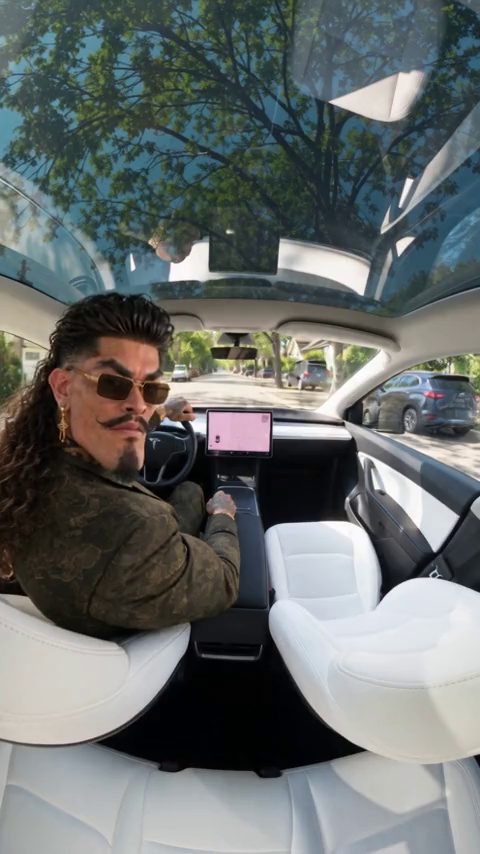
Make a Day 1 of owning a Roadster AI video from one photo of you: open the scene, upload a front-facing photo, tweak the prompt if you like and generate.
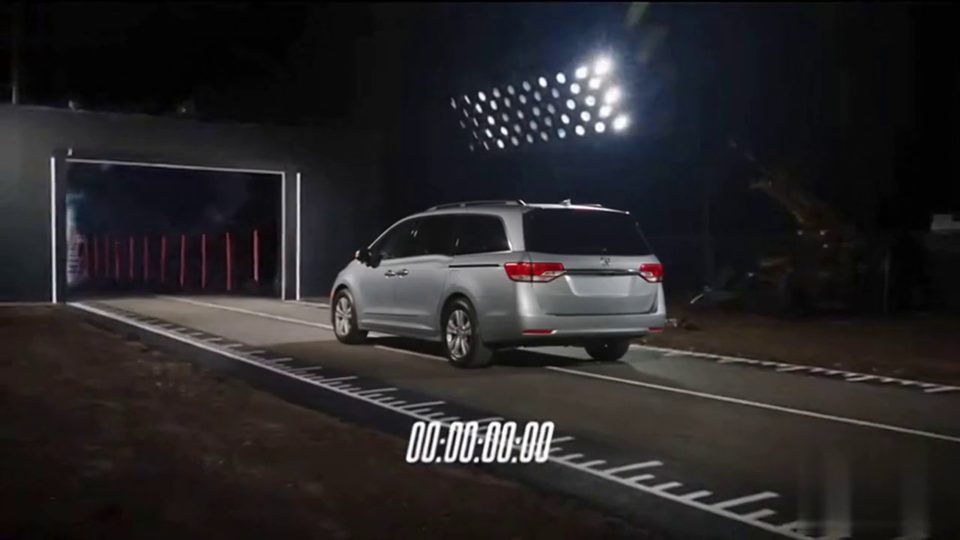
Make a Tesla Roadster 0-60 AI video with any car: open the launch scene, upload one sharp car photo, tweak the prompt, pick 16:9 or 9:16 and generate.
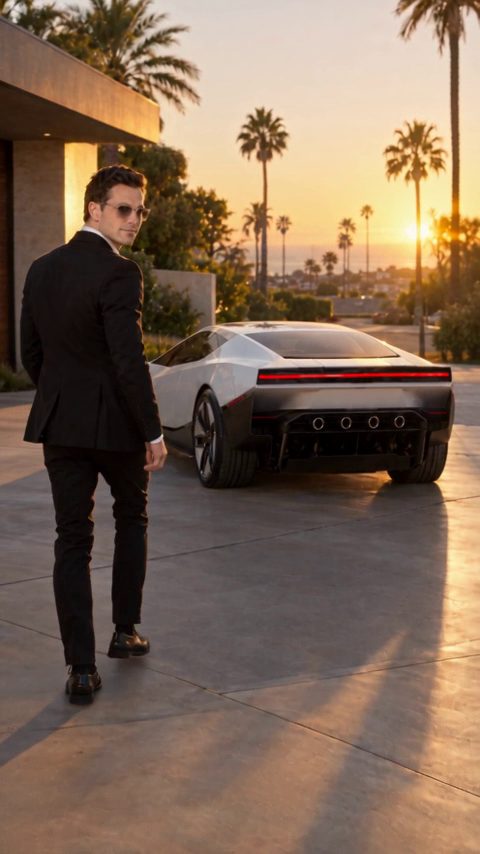
Make a Tesla Roadster pull up AI video: walk up in a suit, get in and lift off on thrusters. Upload one front-facing photo, adjust the prompt and generate.
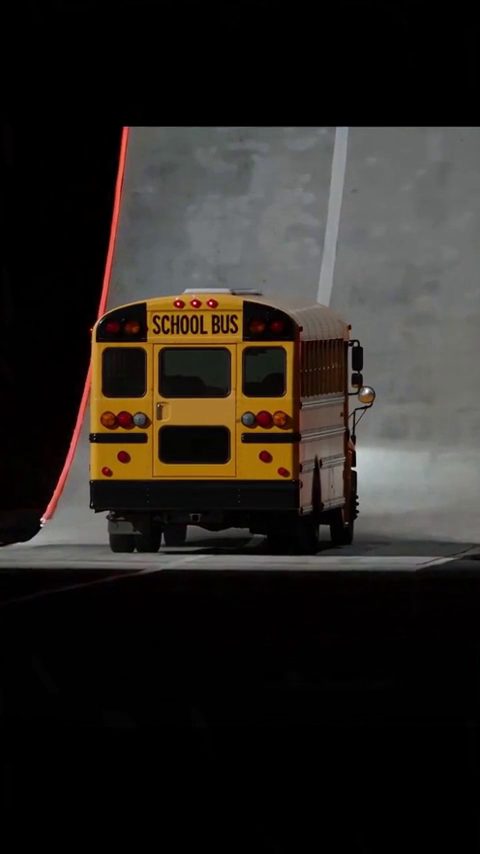
Make a Tesla Roadster ramp AI video: the car climbs a curved wall, flips on boosters and lands in smoke. Upload one side photo of any vehicle and generate.
Pick a scene, add a photo and generate a vertical or landscape MP4.
Create video