
12 Tesla Roadster AI Video Prompts You Can Copy
12 copy-ready Roadster AI video prompts for launches, flips, traffic escapes and comedy scenes, with when to use each one and how to write a prompt of your own.
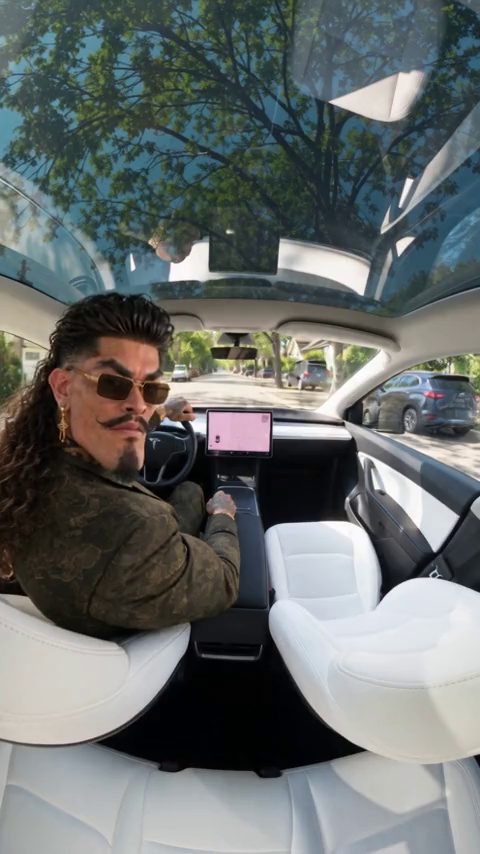
The best Roadster AI video prompts describe one car, one action, one camera move and the lighting, and leave everything else out. Below are 12 prompts you can paste into the Roadster AI Video studio as they are, each with a note on when to use it and a link to its template page.
Every prompt describes a fictional scene. Roadster AI Video is an independent project and is not affiliated with or endorsed by Tesla or SpaceX.
How to use these prompts
Open the studio, add one photo (a car, a person, or a person with a car), choose to write your own prompt, and paste a prompt below. Each one opens with your photo as the car reference and closes by asking for clean footage.
Each prompt names a length; change it to match the 5, 10 or 15 seconds you select. New to the studio? Start with how to make a Tesla Roadster AI video from one photo.
Launch and stunt prompts
1. 0-60 launch
Use Image 1 as the visual reference for the car. Create a fictional 10-second launch on a long, empty test strip at dusk. The car waits at the start line, rear thrusters flare, and a wall of white smoke rises behind it. A low drone camera follows behind as it accelerates down the strip. Keep the body shape and four wheels unchanged. Clean footage only: no added titles, subtitles, logos or watermarks.
Works well in 16:9 with a side or rear three-quarter car photo. 0-60 template.
2. Ramp flip
Use Image 1 as the visual reference for the car. Create a fictional 10-second stunt in an empty arena with a tall curved wall. The car drives up the wall, goes upside down at the top, fires rocket boosters, flips once and lands upright in thick smoke. A wide, locked-off camera keeps the whole car in frame. Clean footage only: no added titles, subtitles, logos or watermarks.
The hardest prompt here, because rotation can bend the car. Test it at 5 seconds and 768P first. Ramp template.
3. Hover and land
Use Image 1 as the visual reference for the car. Create a fictional 5-second scene in an empty parking lot. Dust pushes outward as the car rises about half a meter, holds level with all four wheels attached, then lowers gently until every tire touches down. A low front three-quarter camera pushes in slowly. Clean footage only: no added titles, subtitles, logos or watermarks.
A cheap first test that shows whether the model keeps your car's shape. Paste it into the studio.
Prompts with you in the scene
Use a photo that shows your face, or you with your car.
4. Pull-up
Use Image 1 as the visual reference for the car. If Image 1 shows a person, keep their face and hair for the driver. Create a fictional 10-second scene in a quiet lot at golden hour. The driver walks up in a dark suit, glances back at the camera and gets in. Rear thrusters fire and the car lifts into the sky. An eye-level camera tilts up to follow. Clean footage only: no added titles, subtitles, logos or watermarks.
For a "this is me" clip. Pull-up template.
5. Make my car fly
Use Image 1 as the visual reference for the car. Keep its exact body, paint and wheels, whatever kind of car it is. Create a fictional 10-second scene on a quiet street. The owner walks up, glances back and gets in. Rocket boosters fire and the car rises steadily into a clear sky. The camera stays behind the car and tilts up. Clean footage only: no added titles, subtitles, logos or watermarks.
Use it with a photo of your own car, truck or van. Make my car fly template.
6. Boost over traffic
Use Image 1 as the visual reference for the car. Create a fictional 10-second daytime scene in a traffic jam. Inside the car, the driver throws up their hands, smirks and presses a button. Cut outside: rocket boosters fire, the car arcs over the stopped traffic and lands on open road. Clean footage only: no added titles, subtitles, logos or watermarks.
A two-shot joke that reads fast on a phone. Boost over traffic template.
Roadster AI video prompts for traffic scenes
7. City traffic escape
Use Image 1 as the visual reference for the car. Create a fictional 10-second scene on an overcast city avenue packed with stopped cars, a tall tower in the distance. The rear wing rises, pale jets form underneath, and the car lifts slowly above the traffic. A street-level camera tilts up to follow. Clean footage only: no added titles, subtitles, logos or watermarks.
A slow lift keeps the car steady. City traffic escape template.
8. Sunset highway launch
Use Image 1 as the visual reference for the car. Create a fictional 10-second scene on a crowded highway at sunset, orange sky and a distant skyline. Blue jets ignite under the car, it rises over the traffic, floats forward above one lane and settles onto open road. The camera tracks smoothly from a rear three-quarter angle. Clean footage only: no added titles, subtitles, logos or watermarks.
Strong colors for a thumbnail. Sunset highway launch template.
9. California traffic liftoff
Use Image 1 as the visual reference for the car. Create a fictional 10-second scene in bright California daylight. The car is stopped in a line of ordinary traffic. Cut to a calm fictional driver inside, then to a high exterior angle as the car rises and glides over the queue. Every other car stays on the ground. Clean footage only: no added titles, subtitles, logos or watermarks.
Calm and sunny. California traffic liftoff template.
10. Roadblock flyover
Use Image 1 as the visual reference for the car. Create a fictional 15-second night drive on a closed highway. A camera trails the car from behind. A barrier roadblock appears ahead. Halfway through, downward jets lift the car level over the barrier and it lands smoothly on the empty road beyond. No collisions and no people near the car. Clean footage only: no added titles, subtitles, logos or watermarks.
Needs the full 15 seconds for the build-up. Roadblock flyover template.
11. Police stop takeoff
Use Image 1 as the visual reference for the car. Create a fictional 10-second night scene on a roadside. Red and blue lights reflect off the parked car. A handheld camera approaches the driver's window and the driver smiles calmly. The camera steps back as white vapor bursts from under the car and it lifts straight up out of frame. Clean footage only: no added titles, subtitles, logos or watermarks.
A comedy setup. Label it clearly as AI so nobody takes it as real. Police stop takeoff template.
12. Rush-hour comedy
Use Image 1 as the visual reference for the car. Create a fictional 15-second daytime comedy. The car waits in rush-hour traffic. The annoyed driver presses a button and the car hovers above the lane. A double-decker bus passes in front and hides it. Cut to the driver parked safely with burger sauce spilled on their head, looking stunned. Keep it harmless. Clean footage only: no added titles, subtitles, logos or watermarks.
A punchline ending. Rush-hour comedy template.
How to write your own Roadster AI video prompt
Custom prompts can be up to 4,000 characters, but short prompts are easier to control. Use this shape:
Use Image 1 as the visual reference for the car. Create a fictional [length] scene in [place and time of day]. [One action]. [One camera move]. Keep the body shape, paint and four wheels unchanged. Clean footage only: no added titles, subtitles, logos or watermarks.
- One car. Extra hero vehicles can blend into yours.
- One action. Lift off, launch, hover or land. Pick one per clip.
- One camera move. Tracking, tilting up or a slow push-in.
- Lighting and place. "Overcast avenue" or "sunset highway" is enough.
- Match the length. Five seconds fits one action; 15 seconds fits setup, action and payoff.
Avoid stacking effects. Smoke, sparks, a flip and a spinning camera in one clip often bend the car or change its wheel count. Ask the model to leave out on-screen text, logos and watermarks, crashes and injuries, and the likeness of real public figures.
FAQ
Do I need a Roadster photo to use these prompts?
No. Any car, a person, or a person with a car works.
Why does my car change shape mid-clip?
Fast rotations and stacked effects can distort the car. Simplify the action, use one camera move, and try again.
Which length should I test with?
Five seconds at 768P costs 15 credits, the cheapest test. See pricing. Before posting, read how to post a Roadster AI video on TikTok and Reels and whether the Roadster flying video is real.