
How to Make a Tesla Roadster AI Video from One Photo (2026)
Make a Tesla Roadster AI video from one photo: pick a scene, edit the prompt, choose 9:16 or 16:9, set length and quality, then generate. Costs and photo tips.
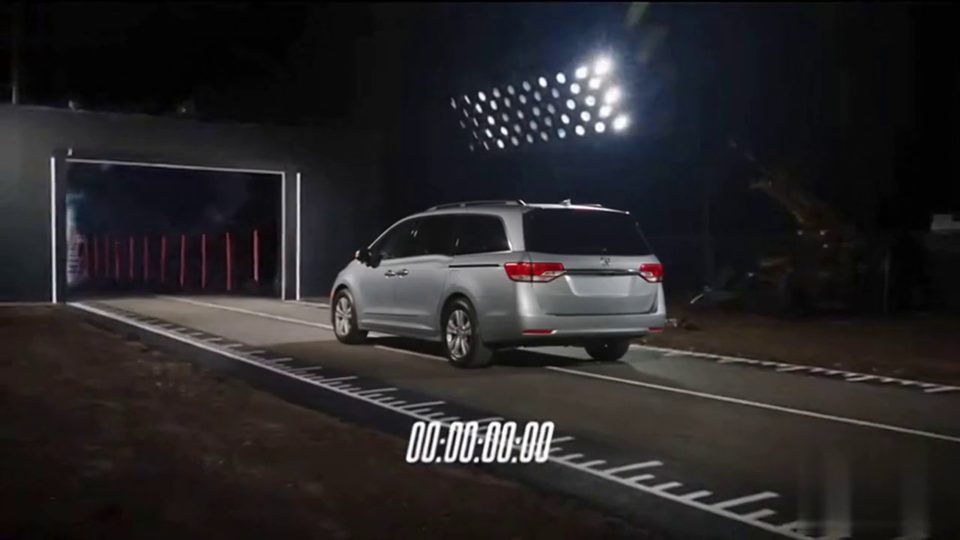
To make a Tesla Roadster AI video, open the Roadster AI Video studio, pick a scene, add one photo of a car or a person, choose 9:16 or 16:9, set the length and quality, and select Generate. The shortest option, a 5-second 768P clip, costs 15 credits, and you download the result as an MP4 with audio generated by the model and no watermark added by the site.
This guide walks through each step in our Tesla Roadster AI video generator, explains which photos give the most consistent car, and lists what every length and quality costs. Roadster AI Video is an independent project. It is not affiliated with or endorsed by Tesla or SpaceX.
What you need
- One photo. A JPG, PNG or WebP image of a car, a person, or a person with a car. Each side must be at least 256 px.
- An account with credits. There are no free credits on sign-up. The smallest pack is $4.99 for 40 credits.
- A scene idea, or none. Preset scenes come with a written prompt, so you can generate without writing anything.
You don't need a photo of a real Roadster, video editing software, or any prompt experience.
Step 1: Pick a scene
Open the studio and choose a preset scene. Each one loads a pre-written prompt that describes the action, the location and the camera move. A few examples:
- 0-60 launch: thrusters fire, a wall of smoke rises, and a drone shot follows the car down a strip.
- Pull-up: you walk up in a suit, get in, and the car fires its thrusters and flies off.
- Ramp: the car drives up a curved wall, goes upside down, fires rocket boosters, flips and lands in smoke.
You can browse every scene on the templates page. If none fits, choose to write your own prompt instead.
Step 2: Add one photo
Upload a single photo. A car photo becomes the visual reference for the car in the scene. A photo of a person works for scenes with a driver, such as the pull-up. A photo of a person standing with their car gives the model both.
Your photo stays in your browser until you select Generate. You can replace it as many times as you like before that point.
Step 3: Edit the prompt (optional)
The preset prompt is editable. Change the color of the car, the time of day or the location, and leave the rest alone. If you would rather start from scratch, write your own prompt of up to 4,000 characters.
A good prompt names one car, one action, one camera move and the lighting. For example, "a slow drone shot rising behind the car at sunset" is easier for the model than three effects stacked into five seconds. Our list of Tesla Roadster AI video prompts has 12 you can copy and adjust.
Step 4: Choose vertical or landscape
- 9:16 (vertical) fills a phone screen. Use it for TikTok, Instagram Reels and YouTube Shorts.
- 16:9 (landscape) suits YouTube, a website or a presentation.
Choose before you generate. Cropping a landscape video into a vertical one later cuts off most of the frame, and the car may leave the shot during the action. If you plan to post on short-video apps, our guide on posting a Roadster AI video on TikTok and Reels covers framing, sound and labels.
Step 5: Set the length and quality
Pick 5, 10 or 15 seconds, and 768P or 2K. The credit cost depends on both:
| Length | 768P | 2K |
|---|---|---|
| 5 seconds | 15 credits | 25 credits |
| 10 seconds | 30 credits | 45 credits |
| 15 seconds | 40 credits | 65 credits |
If you are testing a new prompt, start with 5 seconds at 768P. Once the car looks right and the action reads well, generate the final version at the length and quality you want.
Step 6: Generate and download
Check the cost and select Generate. Generation time varies: it usually takes several minutes, and longer when the queue is busy. You can close the page while you wait. The task keeps running, and finished videos appear in History, where you can watch and download them later.
The download is an MP4 in the aspect ratio, length and quality you picked. The model generates its own audio for the clip, and the site adds no watermark.
If a generation is confirmed as failed, the reserved credits return to your balance automatically. This is a credit return, not a cash refund.
What photo works best
The photo has the biggest effect on whether the car in the video looks like your car. These habits help:
- Show the whole car. A three-quarter front view with all of the body in frame gives the model the most to work with. Cropped bumpers and close-ups of a single wheel leave gaps it has to fill in.
- Use even light. Daylight or an evenly lit garage works better than harsh shadows, night shots or heavy reflections.
- One car per photo. Other vehicles in the frame can blend into the result.
- Skip heavy filters. Strong color grading and stickers can carry into the video.
- For a person, show the face. A sharp photo with the full face visible, plus the upper body if the outfit matters.
Only use photos you took or have permission to use, and don't upload photos of other people without their agreement.
What a Tesla Roadster AI video costs
Credits come in one-time packs or monthly plans. There are no free credits on sign-up.
| One-time pack | Price | Credits |
|---|---|---|
| Single | $4.99 | 40 |
| Three videos | $12.99 | 120 |
| Five videos | $19.99 | 200 |
Pack credits never expire.
| Monthly plan | Price | Credits per month |
|---|---|---|
| Starter | $14.99/mo | 160 |
| Creator | $29.99/mo | 360 |
| Pro | $49.99/mo | 640 |
Monthly plan credits expire after 30 days. The Single pack covers one 15-second 768P video, or two 5-second 768P tests with 10 credits left over. See pricing for the current details.
Tips for a cleaner result
Results vary from one generation to the next. Fast rotations and stacked effects (smoke, sparks, flips and a spinning camera all at once) can distort the car's shape or change its wheel count. Keep one vehicle, one location and one camera move per clip.
If the car warps, simplify the action before you change anything else. Replace "spins and flips" with "lifts off and glides forward", or swap a circling camera for a steady tracking shot.
FAQ
Is Roadster AI Video made by Tesla?
No, and the scenes it makes are fictional. Read Is the Tesla Roadster flying video real? for the difference between Tesla's reveal and AI clips.
Do I need a photo of a Tesla Roadster?
No. You can upload a photo of any car, a person, or a person with a car. The make my car fly scene is built for your own car.
How long does a video take?
Usually several minutes, and longer when the queue is busy. You can close the page and find the finished video in History.
Does the video have sound or a watermark?
The model generates its own audio, and the site adds no watermark. Ready to try it? Open the studio and add your photo.